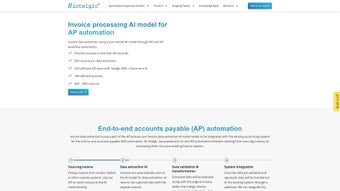

Download Doc Dog – AI‑Powered AP Automation Software for Secure, Fast Invoice Processing
Overview and Core Features
Doc Dog is a cloud‑native, AI‑driven accounts payable (AP) automation platform that reshapes the way finance teams handle invoice processing. Leveraging cutting‑edge Optical Character Recognition (OCR) and deep‑learning models, the software extracts line items, tax details, vendor data, and payment terms from both scanned and native digital invoices with industry‑leading accuracy. Once captured, the data flows through an automated validation engine that cross‑checks fields against historical patterns, flags anomalies, and routes the document through customizable approval workflows. The platform’s robotic process automation (RPA) layer then executes multi‑step actions such as three‑way matching, duplicate detection, and payment scheduling, eliminating manual data entry and dramatically reducing processing time.
The feature set is deliberately built to address every stage of the AP lifecycle:
- Advanced OCR Engine: Supports 120+ languages, low‑resolution scans, and complex table extraction.
- Machine‑Learning Validation: Auto‑checks extracted data against learned patterns and alerts users to outliers.
- Robotic Process Automation (RPA): Automates approval routing, three‑way matching, and payment execution.
- Seamless API Integration: RESTful endpoints for SAP, Oracle, QuickBooks, NetSuite, and custom ERP solutions.
- Continuous Learning Loop: User corrections feed the AI, boosting accuracy by up to 15 % after the first month.
- Secure Cloud Architecture: AES‑256 encryption, SOC 2 Type II compliance, and role‑based access controls.
- Real‑Time Dashboard & Reporting: Visual insights into invoice volume, processing speed, and exception rates.
- Multi‑Channel Capture: Email forwarding, web portal upload, mobile app scanning, and direct API ingestion.
- Smart Duplicate Detection: Fuzzy matching prevents double payments.
- Customizable Rules Engine: Define thresholds, vendor‑specific policies, and approval hierarchies without coding.
Together, these capabilities create a holistic automation experience that not only speeds up invoice processing but also provides finance leaders with actionable intelligence. Security is baked in at every layer; data is encrypted both at rest and in transit, and quarterly penetration tests ensure the platform remains resilient against emerging threats. Because Doc Dog is continuously updated in the cloud, users benefit from the latest AI models, security patches, and feature enhancements without any downtime. In short, Doc Dog is more than a tool—it’s a strategic partner that helps organizations accelerate cash‑out cycles, improve supplier relationships, and free finance staff for higher‑value analysis.
Getting Started, Daily Workflow, and Compatibility
Installation & Setup
Setting up Doc Dog is a breeze thanks to its SaaS delivery model. After purchasing a subscription, a welcome email provides a secure onboarding link. Follow these steps to get up and running:
- Create Your Account: Choose a strong password, enable two‑factor authentication, and verify your corporate email.
- Whitelist Your Domain: Add your company domain so incoming invoice emails are automatically captured.
- Connect ERP/Accounting Systems: In the “Integrations” tab, select your ERP, paste the API key, and run a test sync.
- Configure Capture Channels: Activate email forwarding, portal upload, and mobile scanning (download the iOS or Android app).
- Define Validation Rules: Use the drag‑and‑drop rule builder to set mandatory fields, vendor‑specific formats, and tolerance thresholds.
- Run a Pilot Batch: Upload a small set of historical invoices, review extraction results, and fine‑tune the AI model.
Daily Usage
Once the pilot is complete, daily operations require minimal manual effort. Invoices received via email or scanned through the mobile app are instantly ingested. The OCR engine extracts data within seconds, and the validation layer flags any anomalies. Users see a clean dashboard listing pending invoices, where they can approve, reject, or request clarification. Bulk approval actions are available for high‑volume teams, while RPA bots handle downstream posting to the ERP, eliminating manual entry.
The platform also offers a “learning mode” that lets finance staff correct extraction errors directly on the UI. These corrections are logged and fed back into the AI model, ensuring continuous improvement. Notification preferences can be set to push alerts to Slack, Microsoft Teams, or email when invoices exceed defined thresholds or when exceptions arise. Reporting tools enable the generation of monthly AP performance reports, exportable as CSV, PDF, or direct feeds to BI tools such as Power BI or Tableau.
Compatibility
Doc Dog runs in any modern web browser, making it OS‑agnostic. It is fully compatible with Windows 10/11, macOS Monterey and later, and popular Linux distributions (Chrome, Edge, Firefox). Mobile apps are available for iOS 15+ and Android 8.0+. Because all heavy processing occurs in the cloud, there are no client‑side installations or server‑side hardware requirements, ideal for distributed or remote teams.
Pros & Cons
Pros
- AI‑driven OCR drastically reduces manual data entry.
- End‑to‑end RPA cuts processing time by up to 70 %.
- Robust API integrations with major ERP platforms.
- Continuous learning improves accuracy over time.
- SOC 2‑compliant, encrypted cloud architecture.
- Multi‑channel capture ensures no invoice is missed.
- Customizable rules adapt to complex approval hierarchies.
- Real‑time dashboards provide actionable financial insights.
Cons
- Initial AI training requires a pilot batch of invoices.
- Subscription pricing may be high for very small businesses.
- Deep API customizations can need developer resources.
- Learning curve for users unfamiliar with RPA concepts.
- Full functionality depends on reliable internet connectivity.
Frequently Asked Questions
Is Doc Dog a cloud‑only solution or does it offer on‑premise deployment?
Doc Dog is a cloud‑native SaaS platform that provides automatic updates, high availability, and built‑in security. At present there is no on‑premise version, but the API enables integration with on‑premise ERP systems while keeping all processing in the secure cloud.
How does Doc Dog handle data privacy and compliance?
All data is encrypted at rest (AES‑256) and in transit (TLS 1.2). Doc Dog complies with SOC 2 Type II, GDPR, and CCPA standards. Role‑based access controls and detailed audit logs ensure only authorized users can view or modify financial data.
Can Doc Dog process non‑standard invoice formats?
Yes. The AI model has been trained on millions of invoice layouts, including handwritten and low‑resolution scans. For completely new formats, the system learns quickly after a few manual corrections during the pilot phase.
What pricing models are available?
Doc Dog offers tiered subscription plans based on monthly invoice volume (e.g., 0‑5 k, 5‑20 k, 20 k+ invoices). Enterprise customers can negotiate custom contracts that include dedicated support, SLA guarantees, and volume discounts.
How quickly can an organization see ROI after implementing Doc Dog?
Most midsize firms report a 60‑70 % reduction in AP processing time within the first three months, translating into measurable cost savings and faster invoice approval cycles. Exact ROI depends on invoice volume and existing manual effort.
Final Verdict & Call to Action
Doc Dog stands out as a comprehensive, AI‑driven AP automation platform that delivers real‑world efficiency gains for finance teams. Its blend of high‑accuracy OCR, continuous learning, and robust RPA workflows eliminates tedious manual entry, accelerates cash‑out cycles, and provides greater visibility into payable processes. While the subscription cost may be a consideration for very small businesses, the scalability, security, and measurable ROI make it a worthwhile investment for most enterprises.
Ready to transform your accounts payable department? Download Doc Dog today, start a free 30‑day trial, and experience faster, smarter invoice processing without risk.



.png)



